Step 1.
all these model works,
https://transparentgov.net/json2tree/esri/server/folderT.html?org=live_data&url=https%3A%2F%2Ftransparentgov.net%2Fdata%2Flive_data%2Flos-angeles-county-RmCCgQtiZLDCtblq-3p.json&select_folder=702&select_folder_text=County_City+%3Csup%3EFeatureServer%3C%2Fsup%3E&select_layer=0&select_layer_text=0+%26%23x21E2%3B+County_City+%3Csup%3EFeature+Layer%3Csub%3E+esriGeometryPolygon%3C%2Fsub%3E%3C%2Fsup%3E&arcgis_online_token=
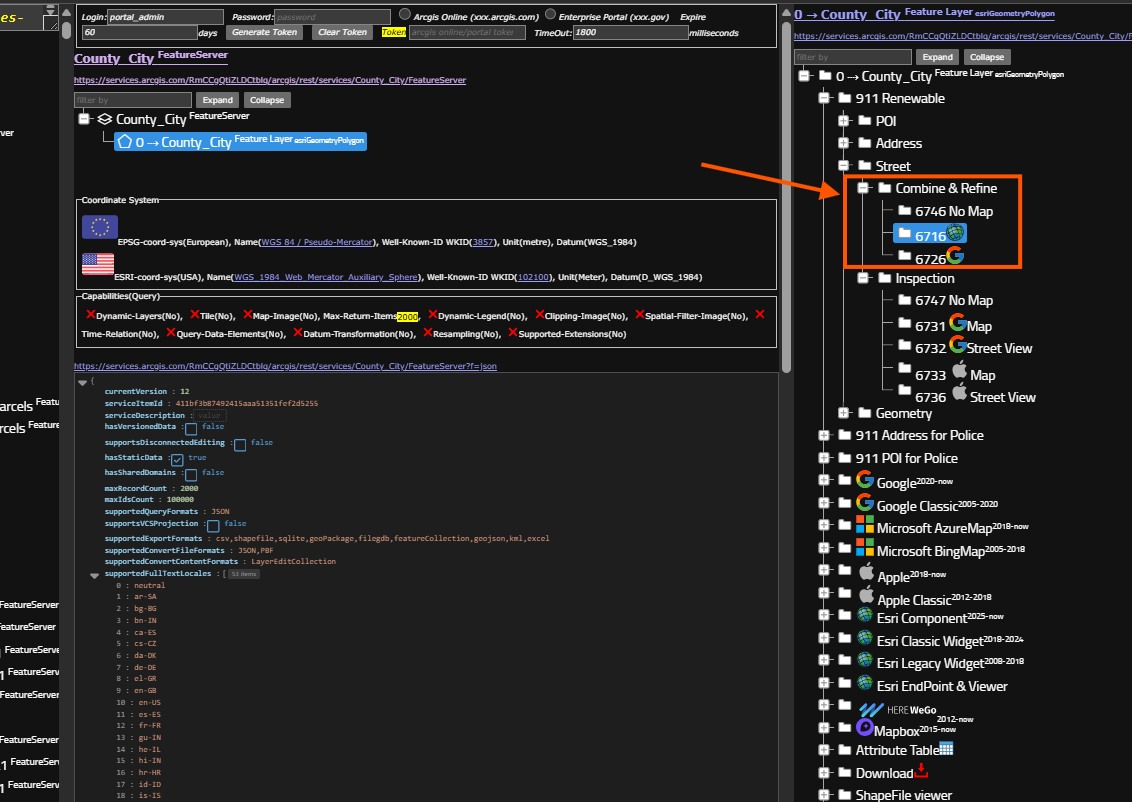
Step 2.
upload new file first
https://transparentgov.net/json2tree/esri/vendor/refinery/street-upload-esri.html
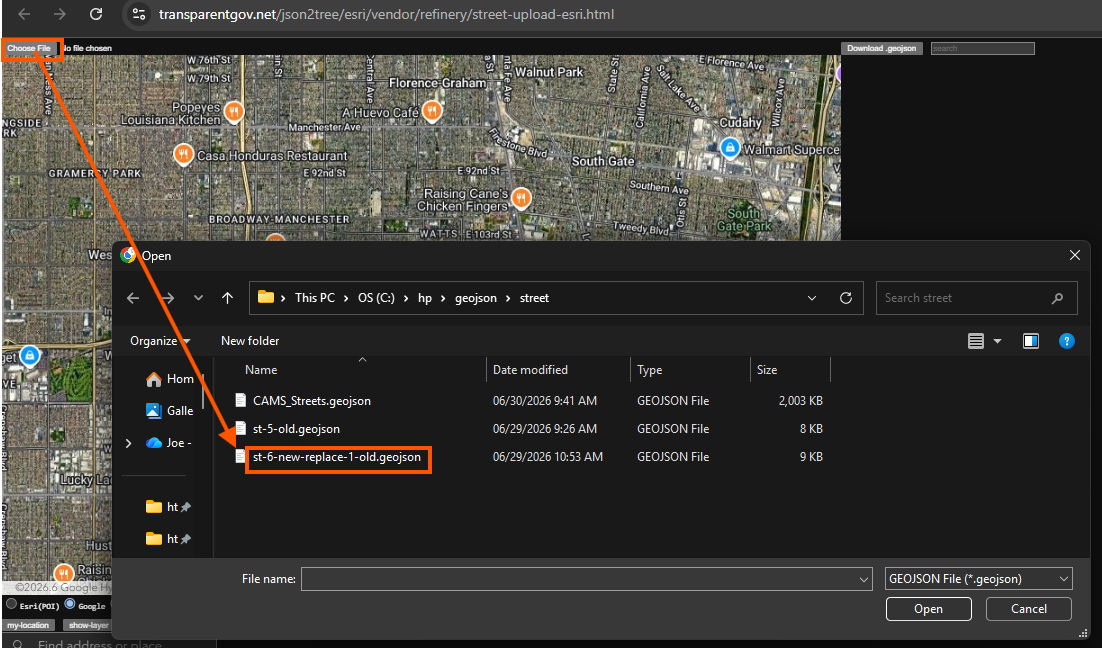
Step 3.
6 smaller hill segment, block range 100.
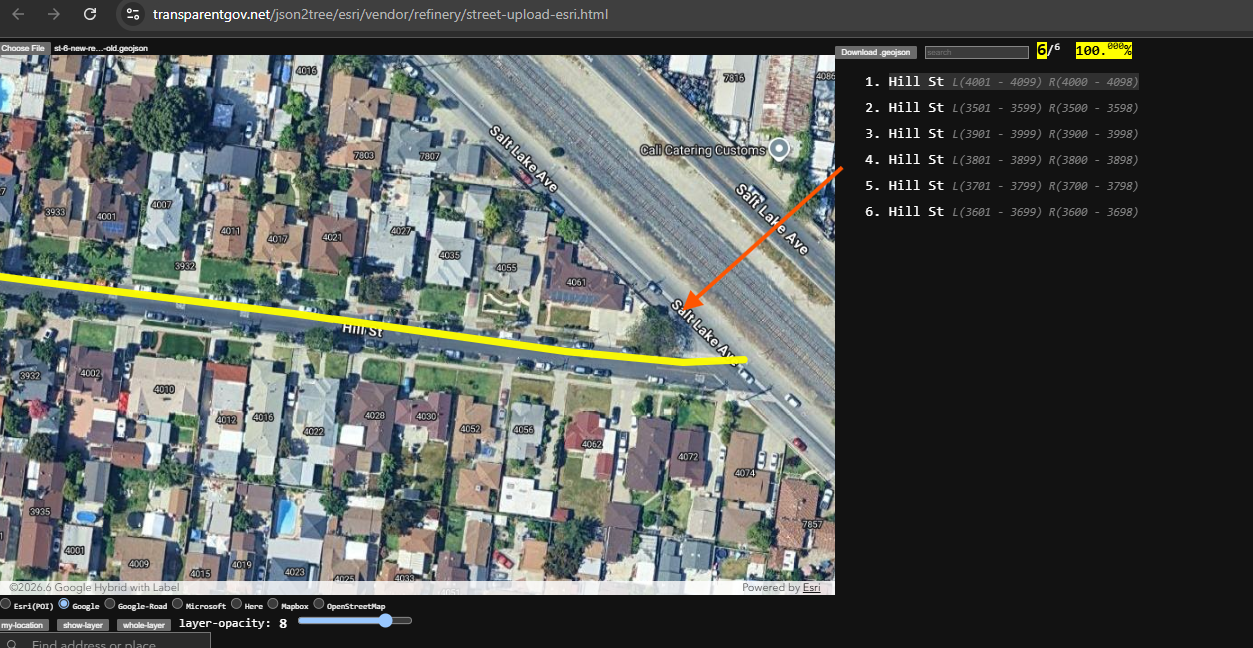
Step 4.
combine old street with previously loaded new segment.
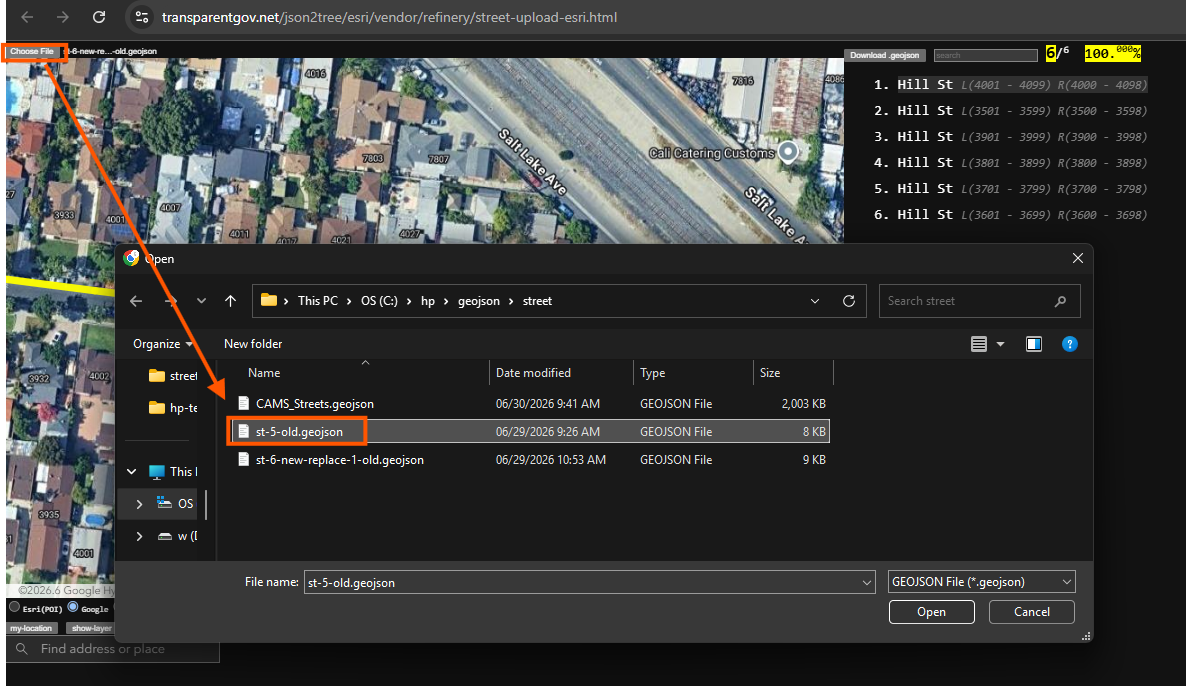
Step 5.
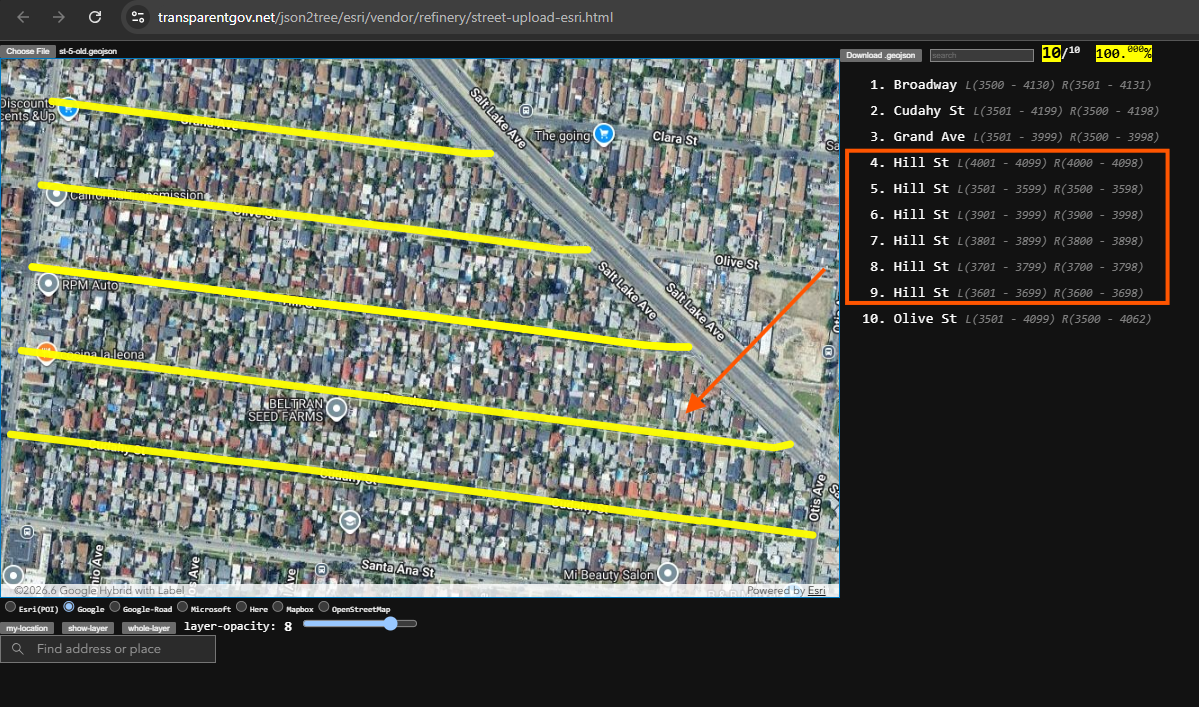
6 new segment + 5 old segment = 10 segment,
because 1 old hill street has been replaced by 6 new.
combine result is 6 + 5 - 1 = 10
Step 6.
street segment is renewable by repeat this method.
whenever you have a new street segment available,
you can use this method to replace old segment.
specially when you have large amount new segment, 1000 new segment,
use this method you can done with a few click.
Otherwise, use Arcgis Pro, you have to find one by one, where is old segment, will be replaced,
1000 new segment maybe replacing 300 old segment,
you want to delete 300 old segment in arcgis pro,
the time consuming part is you have to figure out one by one, where is it, manually.
then delete all 300 old segment.
Because arcgis pro does not smart enough to know these 1000 new segment will replace which old segment.
Step 7.
Step 8.
Step 9.
Step 10.
Step 11.
Step 12.
Step 13.
Step 14.
Step 15.
Step 16.
Step 17.
Step 18.
Step 19.
Step 20.
Step 21.
Step 22.
Step 23.
Step 24.
Step 25.
Step 26.
Step 27.
Step 28.
Step 29.